Print from an iPad to WHS
Sean Daniel is looking at more ways to take advantage of his low-powered Home Server to do more for him as an *always* on device. And over the holiday period had to print boarding passes prior to leaving for the airport:
It was frustrating to have to take out the laptop when the iPad is just right there. But without a compatible AirPrint printer, you can’t print from the iPad…Or can’t you?
By using a Windows (or Mac OS) application that installs on your computer that shares almost any printer connected to the computer, to the AirPrint service, Sean was able to get this setup.
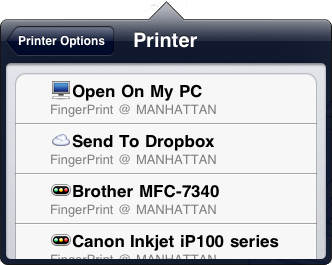
In his write up Sean goes through the setup procedure including opening a port on your router and enabling Multicast which you can read all about here.
Share this WHS Article with Others:



